
- Up to 2K
Resolution
- 5 ratios
Aspect ratios
- Up to 25 chars
Text per phrase
- Built-in
SynthID watermark
About Imagen 4.0 Generate
Imagen 4 is Google DeepMind's fourth-generation text-to-image model, announced at Google I/O 2025 and positioned as the most capable general-purpose image model in the Imagen line. The headline improvements over Imagen 3 are native 2K resolution output (up to 2048×2048 pixels), significantly better photorealism in fine-detail areas (fabric textures, water reflections, animal fur, skin), and cleaner in-image text rendering up to 25 characters per phrase. For commercial creative teams, those three improvements map directly to the most common failure modes of AI image generation: low resolution that doesn't hold up in production, artificial-looking surfaces that undermine photorealistic intent, and garbled text that makes on-brand marketing imagery unusable. Imagen 4 addresses all three in one model at $0.04 per image (standard tier), with a fast variant at $0.02 per image for higher-volume exploration work.
The practical workflow position for Imagen 4 is studio-quality photography replacement for commercial briefs like product heroes, lifestyle shots, campaign imagery, and editorial visuals, where photorealism and compositional control matter more than multi-reference mixing or web-grounded accuracy. The model supports five aspect ratios: 1:1, 3:4, 4:3, 9:16, and 16:9, covering the full range of digital advertising placements from square social to widescreen display. Every output carries an invisible SynthID watermark, which gives brand teams a traceable provenance record for AI-generated assets without any visible mark on the image. All Imagen 4 outputs include commercial licensing rights under Vertex AI's paid terms. Inside Masonry, Imagen 4 sits alongside Nano Banana 2, Imagen 4 Ultra, and 50+ other models, so teams can use it as the photorealism workhorse and switch to other models when the brief requires reference mixing, video, or maximum-fidelity print output.
Why teams choose Imagen 4.0 Generate
Imagen 4 is the right model when photorealism is the primary brief requirement, covering product heroes, lifestyle photography, fashion imagery, and campaign visuals where the output needs to look like it came from a studio rather than a generator. It outperforms Nano Banana 2 on raw photorealistic fidelity for standalone imagery, though Nano Banana 2 is stronger when you need multi-reference mixing, web grounding, or high-volume text overlay content. Choose Imagen 4 Ultra instead of standard Imagen 4 when the brief demands the absolute quality ceiling, such as final campaign heroes, print, and imagery with highly specific or complex compositional requirements where prompt fidelity matters as much as photorealism. The standard tier at $0.04 per image is the practical workhorse; use Imagen 4 Fast at $0.02 for concept exploration and ideation.
What Imagen 4.0 Generate can do
The capabilities that set Imagen 4.0 Generate apart and earn its place in a brief
Native 2K Resolution Output
Generates at up to 2048×2048 pixels natively, with no upscaling. Detail and sharpness hold up at print and large-format sizes without a separate super-resolution step.
Photorealism in Fine Detail
Substantially improved rendering of fabric textures, water reflections, animal fur, and skin compared to Imagen 3. Outputs pass for studio photography in the surface areas where earlier models fell flat.
In-Image Text Rendering
Renders legible in-image text up to 25 characters per phrase. Headlines, product labels, and short copy elements come through cleanly, reducing the manual cleanup that commercial creative previously required.
Five Aspect Ratios for Every Placement
Supports 1:1, 3:4, 4:3, 9:16, and 16:9, covering square social, portrait mobile, standard print, vertical Reels, and widescreen display from a single model without reformatting.
Commercial Rights on Vertex AI
Paid Vertex AI usage includes commercial licensing, making Imagen 4 outputs usable for advertising, marketing materials, and client deliverables under Google's API terms.
SynthID Invisible Watermarking
Every output carries an invisible SynthID watermark using dual neural networks (one embeds it during generation, one detects it). The mark survives cropping, resizing, and most edits, providing a traceable provenance record without any visible artifact.
Where teams reach for Imagen 4.0 Generate
- Photoreal product photography for e-commerce, DTC, and retail, with shots that pass for studio work
- Brand and lifestyle imagery for campaign and social where photorealism is the primary requirement
- Print and digital advertising visuals at 2K resolution without an additional upscaling step
- Editorial and campaign hero shots where strong composition and lighting control are essential
- Packaging and label concepts with legible on-product text (up to 25 characters per phrase)
- Fashion, beauty, and luxury brand imagery requiring fine material texture fidelity
- High-volume marketing asset generation using Imagen 4 Fast ($0.02/image) for concept exploration
- Multi-format campaign production across all five aspect ratios from a single model
What sets Imagen 4.0 Generate apart
The strengths teams reach for, shown on real renders.
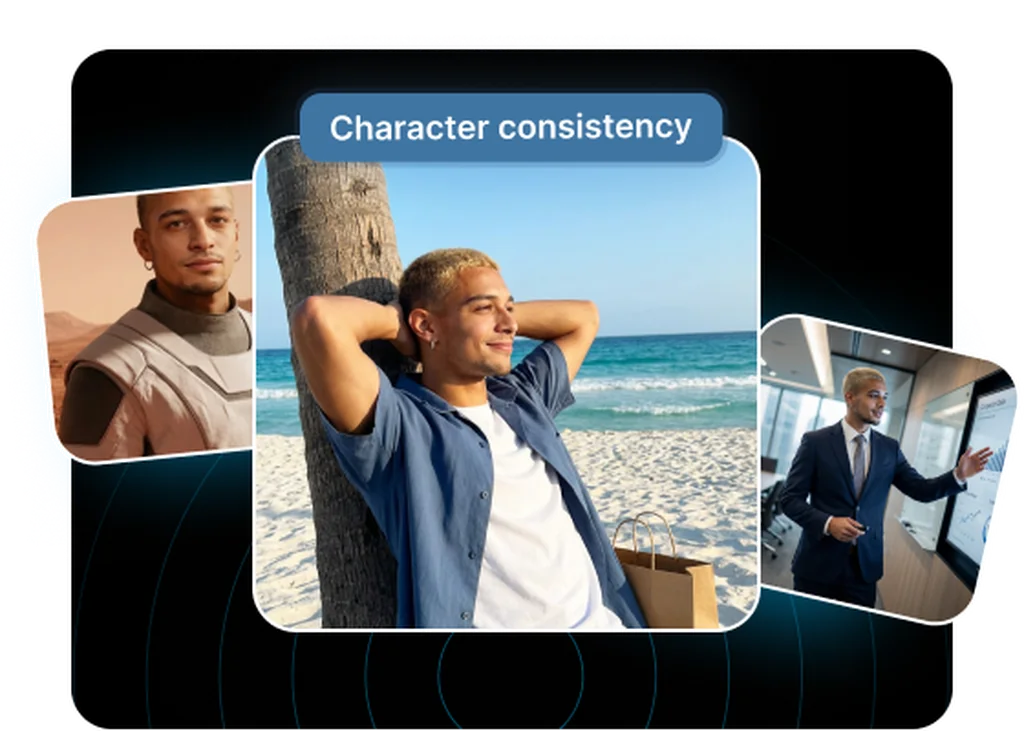
Photorealism That Holds Up to Client Scrutiny
Imagen 4 renders lifelike textures, lighting, and depth that pass for studio photography, so product heroes, lifestyle shots, and campaign visuals look polished enough to publish without retouching.
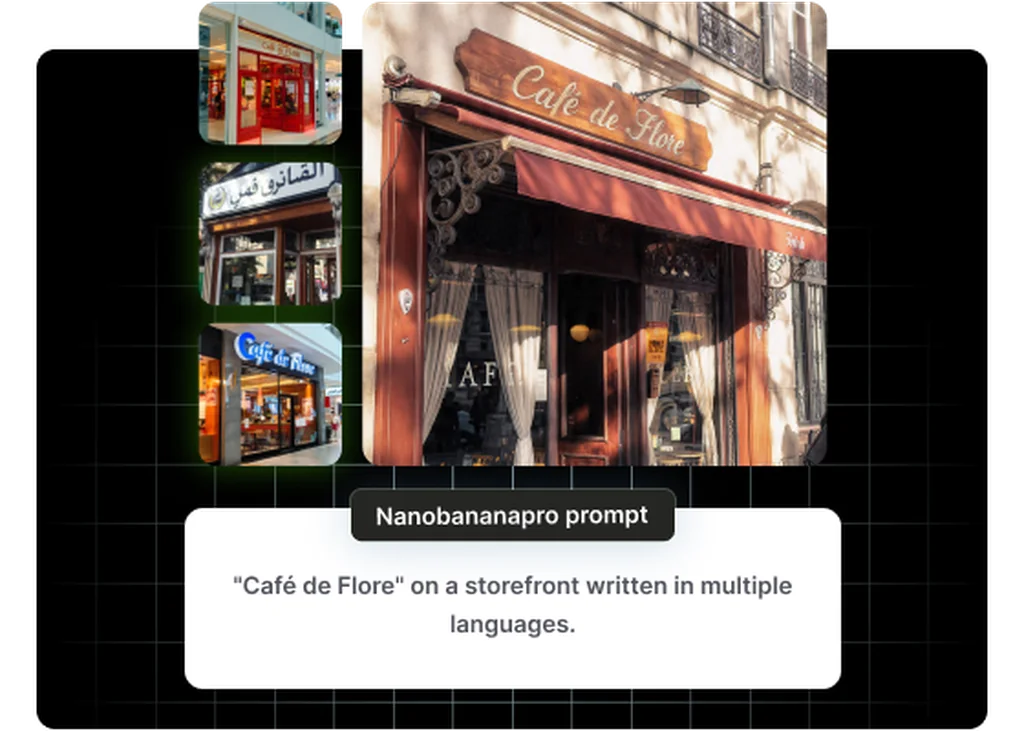
Legible In-Image Text for Commercial Creative
Improved text rendering keeps headlines, labels, and packaging copy clean and readable (up to 25 characters per phrase), eliminating the manual fix-up that plagued earlier generation models on branded content.
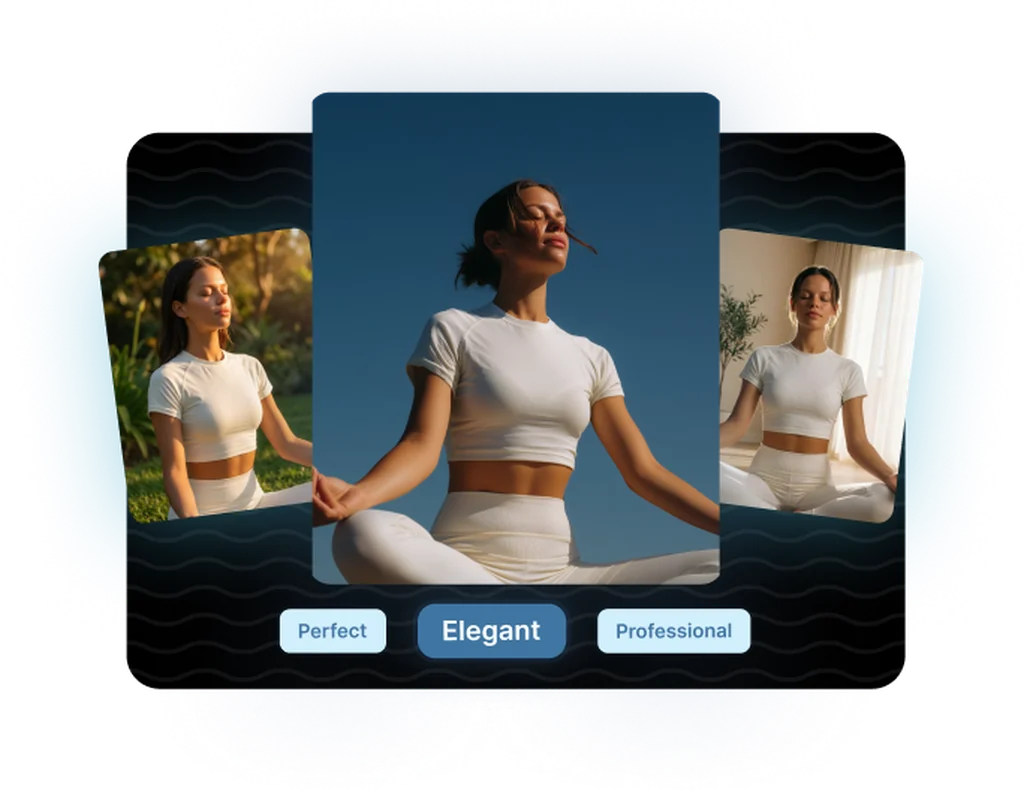
Five Aspect Ratios Covering Every Placement
Square, portrait, widescreen, fullscreen, and vertical, all five ratios in one model. Generate the same creative adapted for Instagram, display, OOH, and YouTube without re-prompting from scratch.
Frequently asked questions
What teams need to know about creating with Imagen 4.0 Generate in Masonry
What resolution does Imagen 4 generate at?
Imagen 4 standard generates at up to native 2K resolution (2048×2048 pixels) across five aspect ratios (1:1, 3:4, 4:3, 9:16, 16:9). This is sufficient for most digital advertising placements and many print applications without a separate upscaling step. Imagen 4 Fast tops out at approximately 1408×768 pixels, suitable for digital-only use cases.
How does Imagen 4 compare to Imagen 4 Ultra?
Both models generate at up to 2K resolution with the same five aspect ratios and SynthID watermarking. The difference is in prompt fidelity and nuance. Imagen 4 is literal and fast. It renders what you describe accurately and reliably. Imagen 4 Ultra reads prompts with more sensitivity, handling abstract language, layered storytelling, and complex multi-element compositions with better accuracy. Ultra costs $0.06 per image vs $0.04 for standard, so use Ultra for finals where compositional precision is paramount.
How does Imagen 4 compare to Nano Banana 2 for marketing creative?
They serve different strengths. Imagen 4 is optimized for standalone photorealistic imagery. It excels at product photography, lifestyle shots, and campaign visuals where fidelity is the priority. Nano Banana 2 is stronger for multi-reference brand mixing, web-grounded generation, and high-volume text-overlay content. Many teams use Imagen 4 for hero imagery and Nano Banana 2 for social and campaign variation work, choosing based on the brief.
Can Imagen 4 outputs be used commercially?
Yes. Commercial use is included under paid Vertex AI terms, covering advertising, marketing materials, product imagery, and client deliverables. All outputs carry an invisible SynthID watermark but no visible watermark or restrictive licensing on commercial application. Review Google's current API terms of service for the latest usage rights.
Does Imagen 4 apply a watermark to images?
No visible watermark. All Imagen 4 outputs carry Google's invisible SynthID watermark, implemented via two neural networks (one that embeds the watermark during generation and one that detects it). The mark persists through common editing operations including cropping, resizing, and color adjustment. It's a provenance record, not a visual brand mark.
What is the text rendering limit in Imagen 4?
Imagen 4 supports in-image text rendering up to 25 characters per phrase. For short headlines, product label copy, and one-line callouts, this works well. For longer text strings or dense typographic layouts, you'll still need post-production. The rendering quality is significantly improved over Imagen 3, which was notoriously unreliable with any on-image text.
What are the rate limits for Imagen 4?
Via Vertex AI, Imagen 4 standard supports 75 requests per minute. Imagen 4 Fast allows 150 requests per minute. Imagen 4 Ultra is capped at 30 requests per minute. For high-volume campaign generation, the standard and fast tiers provide adequate throughput for most commercial workflows.
What is the pricing for Imagen 4 and Imagen 4 Fast?
Imagen 4 standard is priced at $0.04 per image via Vertex AI. Imagen 4 Fast is $0.02 per image, half the cost at lower resolution and faster generation speed. Imagen 4 Ultra is $0.06 per image. The typical workflow for budget-efficient production is to use Fast for concept exploration, standard for approved directions, and Ultra for final client deliverables that require maximum fidelity.
Does Imagen 4 support aspect ratios for vertical social content?
Yes. Imagen 4 supports 9:16 portrait aspect ratio natively, matching the format for TikTok, Instagram Reels, and YouTube Shorts. Combined with 16:9 landscape and 1:1 square, a single creative direction can be adapted across all major social placements without reformatting or re-prompting from scratch.
Does Imagen 4 accept reference images or image inputs?
Imagen 4 is primarily a text-to-image model. Unlike Nano Banana 2 which accepts up to 14 reference images for mixing and style transfer, Imagen 4 standard does not offer the same multi-reference input workflow. For reference-guided generation and brand-asset mixing, Nano Banana 2 is the better choice.
How does Imagen 4 handle fine material textures?
Fine material rendering is one of Imagen 4's most notable improvements over Imagen 3. Fabric weave, water surface detail, animal fur, and skin all render with substantially more believable texture. For fashion, beauty, and luxury brand imagery where material authenticity is part of the brand promise, this improvement is commercially meaningful.
Can I use Imagen 4 for fashion and beauty advertising?
Yes, and it is well suited for it. Imagen 4's improvements in fine surface texture, skin fidelity, and fabric detail make it a strong fit for fashion, beauty, and luxury product imagery. The combination of photorealism and improved composition handles editorial-style shots, product close-ups, and lifestyle contexts that brands commonly need for advertising and e-commerce.
What is Imagen 4.0 Generate?
Imagen 4.0 Generate is an AI image generation model from Google, available inside Masonry, the AI creative agent teams use to produce marketing, product, and brand images.
How does my team use Imagen 4.0 Generate in Masonry?
Open a Masonry canvas, pick Imagen 4.0 Generate from the model selector, and describe the image you need: a product shot, an ad creative, a social post. Masonry generates it, then you refine, edit, and combine Imagen 4.0 Generate with other models in one workspace.
Is Imagen 4.0 Generate free to try?
Yes, you can start generating images with Imagen 4.0 Generate on Masonry's free tier, then scale up with higher limits and priority processing as your team grows.
How do I write good prompts for Imagen 4.0 Generate?
Direct Imagen 4 like a photographer. Name the lens, the lighting, and the time of day. The more you specify the shoot, the more polished and intentional the result.
Who makes Imagen 4.0 Generate?
Imagen 4.0 Generate is built by Google. Inside Masonry it runs alongside 50+ image and video models, so your team can pick the right one for each brief without switching tools.
Start creating with Imagen 4.0 Generate
Generate, edit, and compare across 50+ models in one workspace.
Guides for Imagen 4.0 Generate
Prompt walkthroughs and examples from the Masonry blog
Explore more AI models
Compare Imagen 4.0 Generate with other models teams run in Masonry